

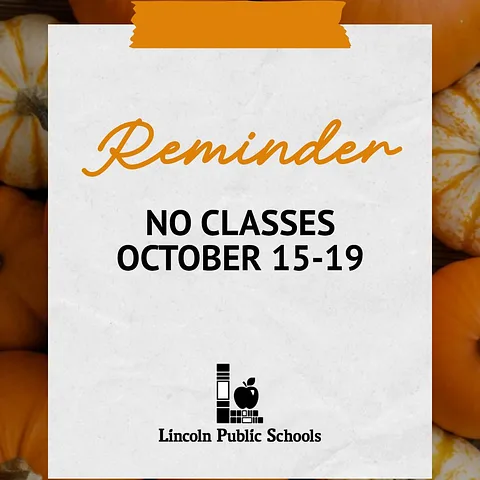
REMINDER: It is LPS Fall Break and there are no classes for LPS students Thursday – Monday (Oct. 15-19).
We are excited to see our students back for the start of the second quarter on Tuesday, October 20th!
Review the LPS Student Calendar on our website: https://www.lps.org/o/lps/page/calendars
The LPS September Monthly Family Update is now available for LPS families!
LPS Communications sends the newsletter on the last Friday of every month with important information for families. Click on the button in the update for either elementary, middle or high school. We’ve also included an index for each section to help you find the information that impacts you and your child.

Due to heat, we are pushing the start time for tonight's Varsity Football Game against Millard North to 7:30 p.m. We can't wait to see you at Union Bank Stadium.

Standing Bear September 2026 Newsletter
September 2026 Newsletter
Stay up to date with all the latest Standing Bear information. Check out the August Standing Bear Newsletter.
The Family Monthly Update for July 31, 2026 is now available for families and students.
The beginning of the school year is almost here and we are excited to see all of our students and families again. The first week of school is approaching fast!
Just a reminder that the first day of school for students in grades kindergarten, sixth, and ninth will be Wednesday, Aug. 12, 2026. Students in grades 1-5, 7-8, and 10-12 will join them on Thursday, August 13. Early Childhood students will start classes on Tuesday, August 18. You can find the updated 2026-2027 calendar on our website.

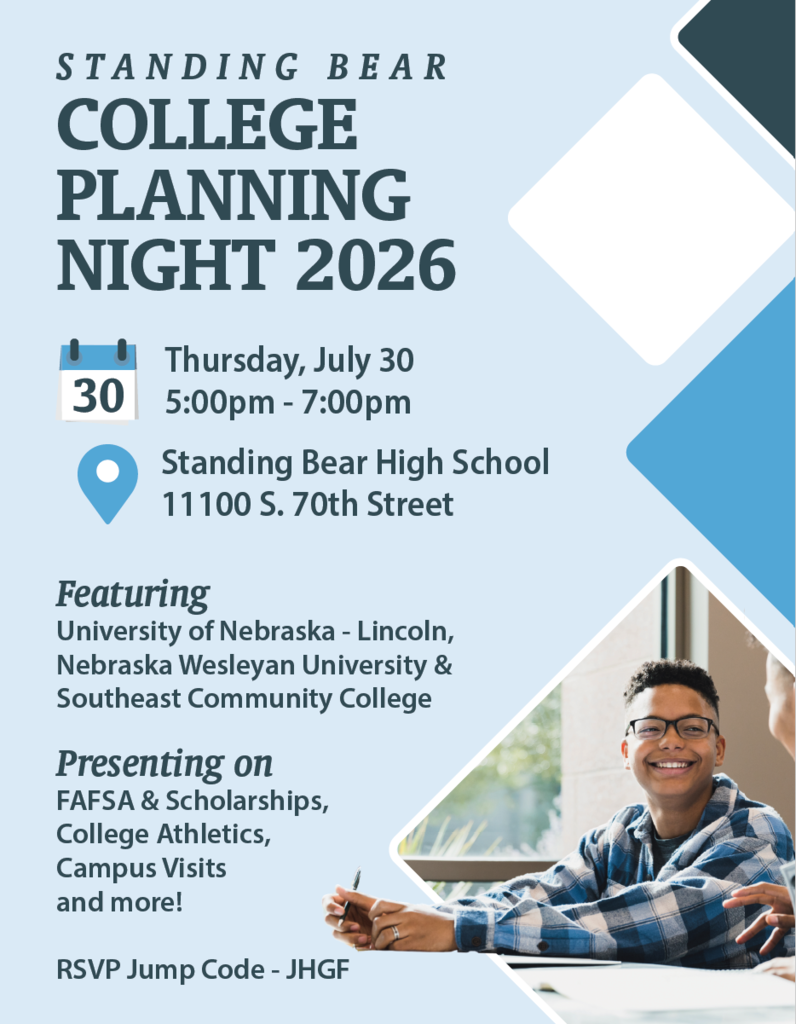
2026 College Planning Night - Thursday, July 30
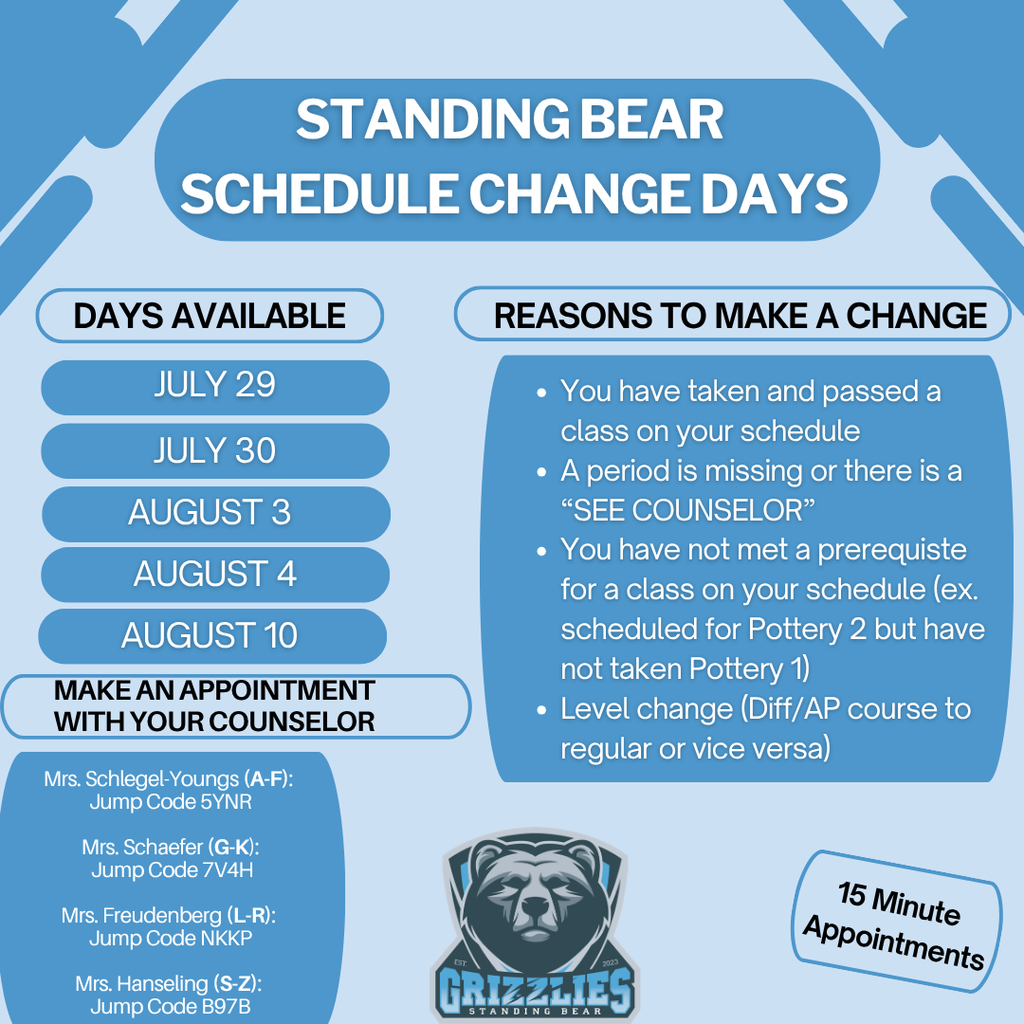
Schedule Change Days Information
SCHOOL READINESS DAY INFORMATION
July 30th, 10:00 AM - 2:00 PM and 3:00 PM - 5:30 PM
Readiness Day is intended to take care of the following:
School picture taken by Digital Solutions (used for student ID and yearbook photo)
Pay fees for the upcoming school year (list included below - other fees may accrue)
Turn in athletic packets
Parking permit if driving to school (new parking permit purchased each year)
10th-grade health screenings
Purchase Standing Bear apparel
Don’t miss out on important back-to-school information! Please take the important steps below to ensure your family’s information is up-to-date.
Every year families are required to complete the enrollment verification process. This includes updating contact information and signing consent and release forms. Please do this as soon as possible so you don’t miss out on important information. The deadline is before the first day of school.
Verify your child’s records:
Starting today, families can log on to ParentVUE, and click on the Online Registration button in the top right corner.
Verify the current address, phone number and email information provided. (This is how your school will contact you about emergencies and send important updates.)
Follow the prompts on the screen and answer each question or verify information already provided as thoroughly as possible.
If you have questions or need help with completing these steps, please contact your child’s school.
If you have previously used your ParentVUE account, but can’t remember your password, you can reset it online at https://synergyvue.lps.org/. If you have not yet activated your LPS ParentVUE account, please contact the main office of your child’s school for instructions and an activation key.
Thank you for your help!
SCHOOL READINESS DAY INFORMATION
July 30th, 10:00 AM - 2:00 PM and 3:00 PM - 5:30 PM
Readiness Day is intended to take care of the following:
School picture taken by Digital Solutions (used for student ID and yearbook photo)
Pay fees for the upcoming school year (list included below - other fees may accrue)
Turn in athletic packets
Parking permit if driving to school (new parking permit purchased each year)
10th-grade health screenings
Purchase Standing Bear apparel
New version of StudentVUE app now available
Edupoint, the company that brings us Synergy StudentVUE, has updated their mobile apps for both iPhone and Android. While the functionality is the same, the app looks a little different. All current and future users of the StudentVUE app will need to download the new app. StudentVUE users will student login and password.
Jobs and Extended Learning Opportunities (JELO)
Is your child looking for a job or other extended learning opportunity? Students can use their Chromebook or LPS Student Portal account to check out our electronic bulletin board by going to lps.org and typing in the keyword “JELO”. (Students must be logged in to their LPS Student Portal to view the board.)
Students in grades 6-12 will find information about a wide variety of opportunities available. This includes activities, camps, jobs and internships. We update the board every Wednesday afternoon.
2026 Summer meal information
Thanks to the federally funded program (SFSP), children can get the nutrition they need throughout the summer. Summer community meal locations are listed on the Lincoln Food Bank website with dates and times, or you can text FOOD or COMIDA to 304304, call 2-1-1, or use an interactive map located at NoKidHungry.
New version of ParentVue app now available
Edupoint, the company that brings us Synergy ParentVUE, has updated their mobile apps for both iPhone and Android. While the functionality is the same, the app looks a little different. All current and future users of the ParentVUE app will need to download the new app. Current ParentVUE users will sign in using the same login/password as is used now. If you do not yet use ParentVUE and would like to, please contact your student’s school office for an activation key.